Release Date: 2026-02-10
Cheers!
Align your goals, let the one-pagers sing,
Reject a cascade—still keep the linked thing,
SSO logs you in fast… and security’s the king.
✨ New Features
One-pagers, Cascades, and Alignment Workflows
-
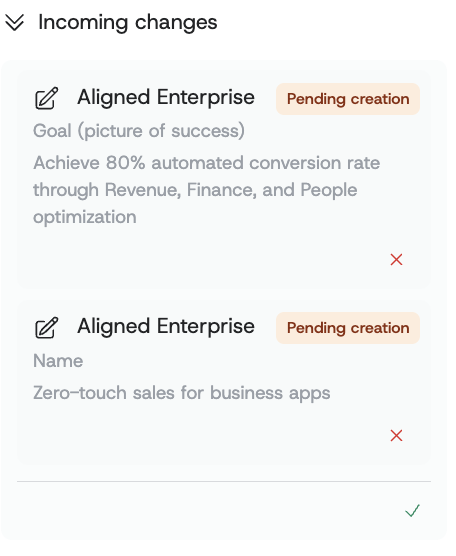
Reject incoming cascaded changes while preserving local ownership of content: One-pagers that receive cascaded updates can now reject specific incoming changes (down to individual fields) so teams can protect local nuance without breaking alignment. You’ll see a Reject action for each incoming change, superior one-pagers can confirm the rejection, and you can restore rejected cascades later to resume synchronized updates when priorities shift.
-
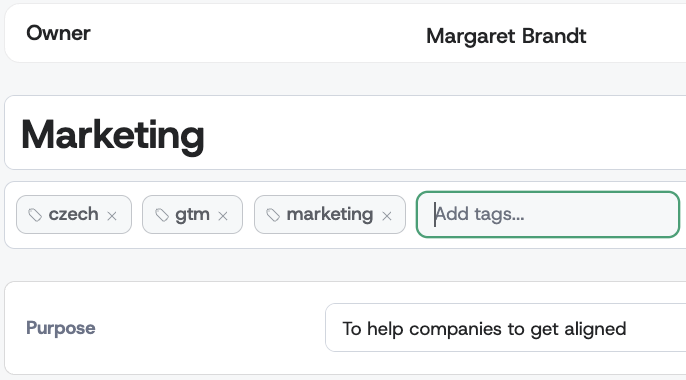
Tag one-pagers to make strategic content easier to organize and find: One-pagers now support tenant-wide tags so teams can consistently categorize initiatives, strategies, and plans using shared language across the organization. In edit mode, editors can add or remove tags via type-to-search, and everyone can filter one-pagers by tags across Home, Search, and Index views—with multi-tag “AND” filtering and shareable, URL-persisted filters for repeatable reporting.
Authentication and Enterprise Access (SSO)
- Single Sign-On (SSO) with Microsoft Entra ID for enterprise-grade access management: Organizations can now enable SSO using Microsoft Entra ID so employees sign in with existing corporate credentials, reducing password friction and improving onboarding speed. Admins configure SSO in Organization Settings, users see a “Sign in with Microsoft” option, new SSO users can be provisioned automatically with a safe default role, and key SSO actions are tracked in audit logs for compliance and operational visibility.
🔧 Improvements
Permissions, Roles, and Controlled Visibility
- Restrict status visibility to protect sensitive status information: Statuses are now visible only to one-pager owners and administrators, preventing unintended exposure of progress or risk indicators to users without a business need to know. Owners can view semaphores across their linked one-pagers, and can see a superior one-pager’s statuses in read-only mode, giving leadership context without enabling unauthorized edits.
Admin Tables and Findability
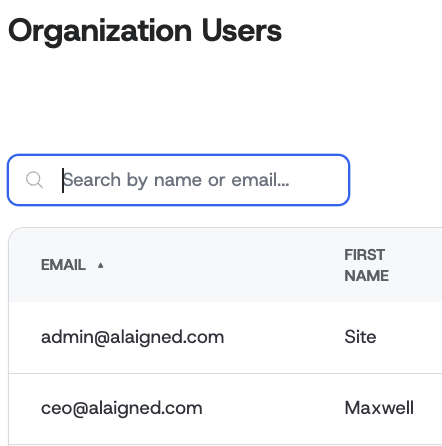
- Add practical filter Organization Users tables for faster administration: Org admins can find users using multi-field search across first name, last name, and email.
🎨 UI/UX Enhancements
Editing Experience in One-pagers
-
Make pillar editing more consistent and navigable with minimum widths and horizontal scrolling: In one-pager edit mode, pillars now keep a consistent, readable width to prevent cramped layouts when content grows.
-
Improve cascade modal selection clarity when working with multiple items: The cascade modal now behaves correctly when selecting multiple items, reducing accidental selections and making bulk mapping actions feel predictable. Users will experience clearer selection handling when aligning several initiatives at once, which supports faster rollout of standardized strategy across teams. (see image URL from MR !1202)
AI Guide Experience
- Add AI Guide “starter prompts” and refine conversation UI for easier adoption: The AI Guide now includes starter prompts and a clearer feedback link so users can begin value-driven conversations without guessing what to ask. Visual refinements improve readability, keep key actions accessible while scrolling, and replace the chat bubble with an “agent is thinking” state, helping users feel confident the assistant is working and reducing premature repeat clicks.