Release Date: 2025-10-21
Cheers!
We shipped a batch of wins, with tabs and prints that shine, AI’s smarter, imports fly, your teams align in time. Scroll arrows glide, invites you guide—everything feels fine!
✨ New Features
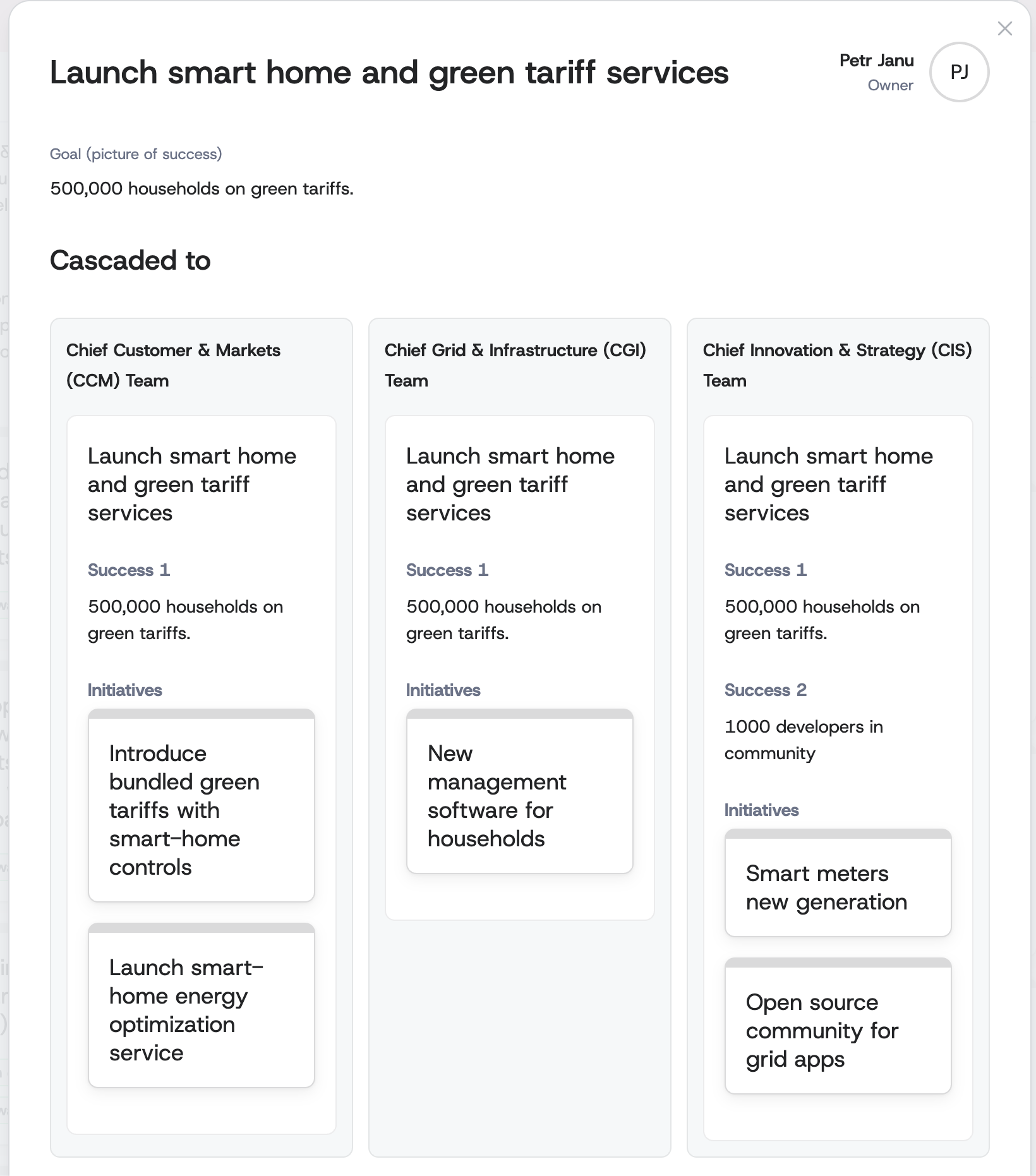
- Initiative breakdown in a focused modal window: Users can see how an initiative cascades down across all linked one-pagers. This greatly improves horizontal alignment among teams. Just click on an initiative box to see its breakdown.
- Bulk CSV user import for high-speed onboarding: Upload a CSV file to add up to 1,000 users at once with enterprise role support (admin, collaborator, viewer), progress indicators, and detailed validation. Existing users are automatically skipped, and all events are audit logged. This dramatically reduces admin effort during company rollouts and accelerates time-to-value for large organizations.
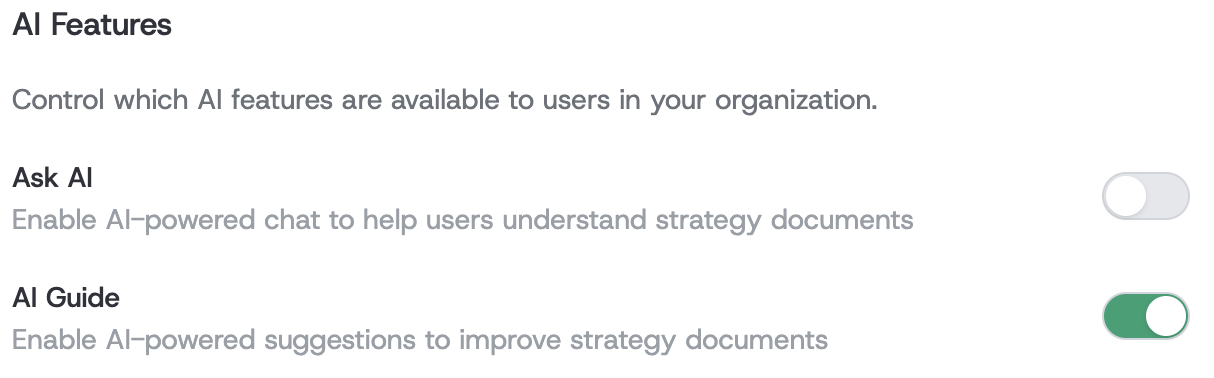
- Organization-level controls for AI features: Ask AI and AI Guide can now be enabled or disabled per organization, with sensible defaults and easy access in organization settings.
- Smarter AI tools for better writing and guidance: Enhanced AI capabilities improve content quality, reliability, and backward compatibility with existing workflows.
🔧 Improvements
Organization Administration
- Unified tabbed admin workspace for faster navigation: The organization admin area is now a single, tabbed interface for Overview, Users, Templates, and Audit. Switching sections is faster and keeps organizational context intact, reducing page loads and cognitive overhead. This helps admins complete routine tasks more quickly with fewer interruptions and clearer orientation.
- Clearer audit viewing with consistent pagination info and focus on security events: The Audit tab surfaces pagination details like “Showing X to Y of Z” and organizes activity for quick scanning. Highlighted security-related events improve oversight, helping admins spot issues faster and maintain compliance during audits.
Audit and Navigation
- Clickable user names and cleaner audit entry context: Audit log entries now show user full names as links to their profiles, and system events are labeled “System.” A disabled menu item was removed to declutter navigation. Admins can trace actions more quickly to the right person and avoid dead-end links, improving investigation speed.
🎨 UI/UX Enhancements
- Hover-triggered scroll arrows make tree navigation intuitive: When hovering over one-pager levels in the tree view, overlay arrows appear to guide horizontal scrolling. Scrolling is smooth, accelerates naturally, and stops as soon as the pointer leaves. This fixes discoverability issues for overflowing content, making exploration effortless for users new to the tree.
- Cleaner, more reliable print layouts for exports and reviews: Printed pages and PDFs now respect spacing and layout for improved readability, preserving structure when sharing plans with stakeholders. This provides more professional-looking outputs for board packs, status reviews, and executive updates without manual reformatting.
🐛 Bug Fixes
- Preserved collapsed state when switching tabs: Collapsed sections no longer unexpectedly expand or collapse when navigating between tabs. Users keep their preferred view, reducing repetitive clicks and maintaining focus on the most relevant information.
- Stabilized error handling for malformed propagation scenarios: The system no longer fails when encountering propagation data with missing paths. Events are safely logged, preserving user workflows and ensuring administrators can review anomalies without experiencing a blocking error.
- Correct one-pager titles in the insight bar during cascade actions: The insight bar now displays the correct one-pager titles when cascading updates. Reviewers see accurate context without confusion, improving trust in the interface during large-scale updates.
- Context bar remains accessible when scrolling with lock enabled: The lock overlay no longer covers the context bar during scroll, keeping controls available at all times. Users can maintain momentum without stopping to reset the view or unlock the page.
- Fewer AI response interruptions during streaming updates: Addressed an intermittent error when processing AI-generated content updates, reducing unexpected failures. Users experience more stable AI assistance and fewer retries during guided writing or suggestions.