Accessing Audit Logs
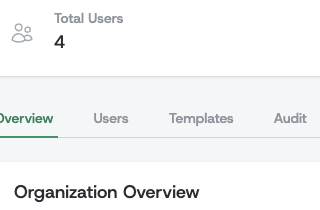
Location: Navigate to your Company Profile and select the Audit tab.
 Required Permission: Users need the
 audit_logs:view permission to access audit logs. This is typically granted to administrators and compliance officers.
What Events Are Tracked
Audit logs automatically capture the following events:
Authentication Events
- Password Login Success (
com.alaigned.auth.password.login) - User successfully logs in with password - Password Login Failure (
com.alaigned.auth.password.login.failure.invalid_credentials) - Failed password login attempt - Password Reset (
com.alaigned.auth.password.reset) - User successfully resets their password - Magic Link Login Success (
com.alaigned.auth.magic_link.login) - User successfully logs in with magic link - Magic Link Login Failure (
com.alaigned.auth.magic_link.login.failure.invalid_or_expired_token) - Failed magic link login attempt - Logout (
com.alaigned.auth.logout) - User logs out
Two-Factor Authentication Events
- 2FA Enabled (
com.alaigned.auth.2fa.enabled) - User successfully set up two-factor authentication- Includes method (currently "totp")
- 2FA Disabled (
com.alaigned.auth.2fa.disabled) - User disabled two-factor authentication - 2FA Verification Success (
com.alaigned.auth.2fa.verify.success) - Successful two-factor verification during login- Includes method used (totp or backup_code)
- 2FA Verification Failed (
com.alaigned.auth.2fa.verify.failed) - Failed two-factor verification attempt- Includes method attempted (totp or backup_code)
- Monitor for patterns indicating potential security threats
- Backup Codes Regenerated (
com.alaigned.auth.2fa.backup_codes.regenerated) - User regenerated backup codes- Includes count of new backup codes generated
Organization Settings Events
- Organization 2FA Settings Changed (
com.alaigned.organization.2fa.settings_changed) - Administrator changed organization two-factor authentication settings- Includes which settings were changed (two_factor_enabled, two_factor_required)
Content Management Events
- One Pager Deletion (
com.alaigned.one_pagers.delete) - One pager is deleted - One Pager Edit (
com.alaigned.one_pagers.edit) - One pager is updated
User Management Events
- User Created with Password (
com.alaigned.users.create.password) - User account created with password authentication - User Created with Magic Link (
com.alaigned.users.create.magic_link) - User account created for passwordless authentication - Invitation Email Sent (
com.alaigned.users.send_invitation) - Admin manually sends invitation email to existing user - Invitation Message Generated (
com.alaigned.users.generate_invitation_message) - Admin generates invitation message template for copying - User Role Assigned (
com.alaigned.users.role_assigned) - Role is assigned to a newly created user - User Role Changed (
com.alaigned.users.role_changed) - User's role is updated - CSV User Upload Started (
com.alaigned.users.csv_users_upload_started) - Bulk user import from CSV file has started - CSV User Upload Completed (
com.alaigned.users.csv_users_upload_completed) - Bulk user import completed successfully- Includes count of users created and skipped
- CSV User Upload Failed (
com.alaigned.users.csv_users_upload_failed) - Bulk user import failed due to an error- Includes error reason
- CSV Validation Failed (
com.alaigned.users.csv_users_validation_failed) - CSV file validation failed- Includes error count and sample of validation errors
Event Format
All audit events follow the CloudEvents specification to ensure standardization and interoperability. Each audit log entry contains:
Core Fields
- Event ID - Unique identifier for the event
- Source - Full request URL where the event originated (e.g.,
https://acme.alaigned.com/users/log_in), or system URI for background operations (e.g.,alaigned://csv_import) - Type - Event type using reverse DNS notation (e.g.,
com.alaigned.auth.password.login) - Time - When the event occurred (UTC timestamp)
- Subject - Primary entity affected (often user email)
User Context
- User ID - ID of the user who triggered the event (if applicable)
- IP Address - Source IP address of the request
- User Agent - Browser/client information (for web requests)
Event-Specific Data
Each event type may include additional contextual data specific to that event:
- Authentication events include success/failure indicators
- CSV upload events include file names, record counts, and validation errors
- Content events include affected entity IDs and change details
Data Retention
Audit logs older than the configured retention period are permanently deleted and cannot be recovered. The default is 90 days.