Where to find it
Top nav → Admin → Company Profile → Audit tab.
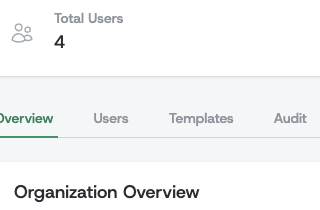
Required permission: the audit_logs:view permission, typically granted to administrators and compliance officers.
What Events Are Tracked
Audit logs capture security- and compliance-relevant actions across the application. Each event type follows the CloudEvents naming convention (com.alaigned.<category>.<action>) and falls into one of the groups below.
Authentication & access
Sign-ins and sign-outs across all methods (password, SSO, two-factor), failed login attempts, and password resets — for example com.alaigned.auth.password.login and com.alaigned.auth.logout.
Two-factor authentication
Enabling and disabling 2FA, successful and failed verification attempts, and backup-code regeneration — for example com.alaigned.auth.2fa.enabled and com.alaigned.auth.2fa.verify.failed. Failed verifications are worth monitoring for patterns that may indicate a security threat.
Content changes
Creating, editing, deleting, and reorganizing one-pagers — including field-level edits, owner changes, moving a one-pager under a new superior, and status transitions — for example com.alaigned.one_pagers.edit and com.alaigned.one_pagers.status_changed.
Cascades
Cascade actions between linked one-pagers: sending a cascade down, accepting, rejecting, confirming, discarding, restoring, and unlinking changes — for example com.alaigned.propagations.confirm_group.
Strategy versions
Creating, updating, activating, archiving, unarchiving, and deleting strategy versions — for example com.alaigned.strategy_versions.activate.
User management
Creating users (individually or via CSV import), sending invitations, role changes, ownership transfers, and user deactivation — for example com.alaigned.users.create.password and com.alaigned.users.role_changed.
Organization & SSO
Organization enable/disable, validity-period changes, two-factor settings changes, and SSO configuration and provisioning events — for example com.alaigned.organization.2fa.settings_changed and com.alaigned.sso.user.provisioned.
Event Format
All audit events follow the CloudEvents specification to ensure standardization and interoperability. Each audit log entry contains:
Core Fields
- Event ID - Unique identifier for the event
- Source - Full request URL where the event originated (e.g.,
https://acme.alaigned.com/users/log_in), or system URI for background operations (e.g.,alaigned://csv_import) - Type - Event type using reverse DNS notation (e.g.,
com.alaigned.auth.password.login) - Time - When the event occurred (UTC timestamp)
- Subject - Primary entity affected (often user email)
User Context
- User ID - ID of the user who triggered the event (if applicable)
- IP Address - Source IP address of the request
- User Agent - Browser/client information (for web requests)
Event-Specific Data
Each event type may include additional contextual data specific to that event:
- Authentication events include success/failure indicators
- CSV upload events include file names, record counts, and validation errors
- Content events include affected entity IDs and change details
Data Retention
Audit logs older than the configured retention period are permanently deleted and cannot be recovered. The default is 90 days.