Overview
As your strategy grows, two things get harder to take in: an individual one-pager with many pillars, initiatives, and enablers, and the overall hierarchy with many one-pagers. Two tools help you stay oriented.
Jumping around a one-pager: the compass minimap
A one-pager with many pillars, initiatives, and enablers can be long to scroll through. The compass minimap gives you a bird's-eye view of the whole one-pager and lets you jump straight to any part of it.
Look for the compass button in the bottom-right corner of any one-pager. Click it to open a semi-transparent minimap overlaid on the one-pager — a scaled-down map of the entire document.
From the minimap, click any pillar, initiative, enabler, or company value to jump straight to it; the one-pager scrolls to bring that item into view. Close the minimap to return to your normal view.

The compass is especially handy on large one-pagers, where scrolling to find a specific item would otherwise take a while.
Scanning the hierarchy: tree card density
In the strategy Tree view, you can choose how much detail each one-pager card shows — pick a denser layout to take in more of the hierarchy at a glance, or a fuller layout to read more of each one-pager without opening it.
Use the density control in the context bar above the tree. It has three levels:
- Compact — shows just the title, status, and owner. The cards are narrower, so more of them fit across the screen — best for getting an overview of a large hierarchy. A long title wraps onto two lines; hover a title that's longer still to see the rest.
- Standard — adds the tags and a thumbnail of the pillar list: the first three pillars, with the rest summed up in a "+N more pillars" note. Each pillar shows at most two lines; hover a pillar to see its full name.
- Detailed — shows the full pillar list and the cascade indicators for linked one-pagers, in a wider card, with up to three lines per pillar. This is the default.
Your choice is remembered, so the tree opens at your preferred density the next time you visit.
Following one line of the strategy
A wide hierarchy makes it hard to see which one-pagers actually belong together. Two features narrow the tree down to a single vertical — one one-pager plus everything above and below it.
Hover to highlight
Move the pointer over any card. That card's whole vertical — its superior one-pagers all the way to the top, and its linked one-pagers all the way down — stays bright and its connector lines turn green, while everything unrelated dims into the background. Nothing is clicked and nothing changes; move away and the tree returns to normal.
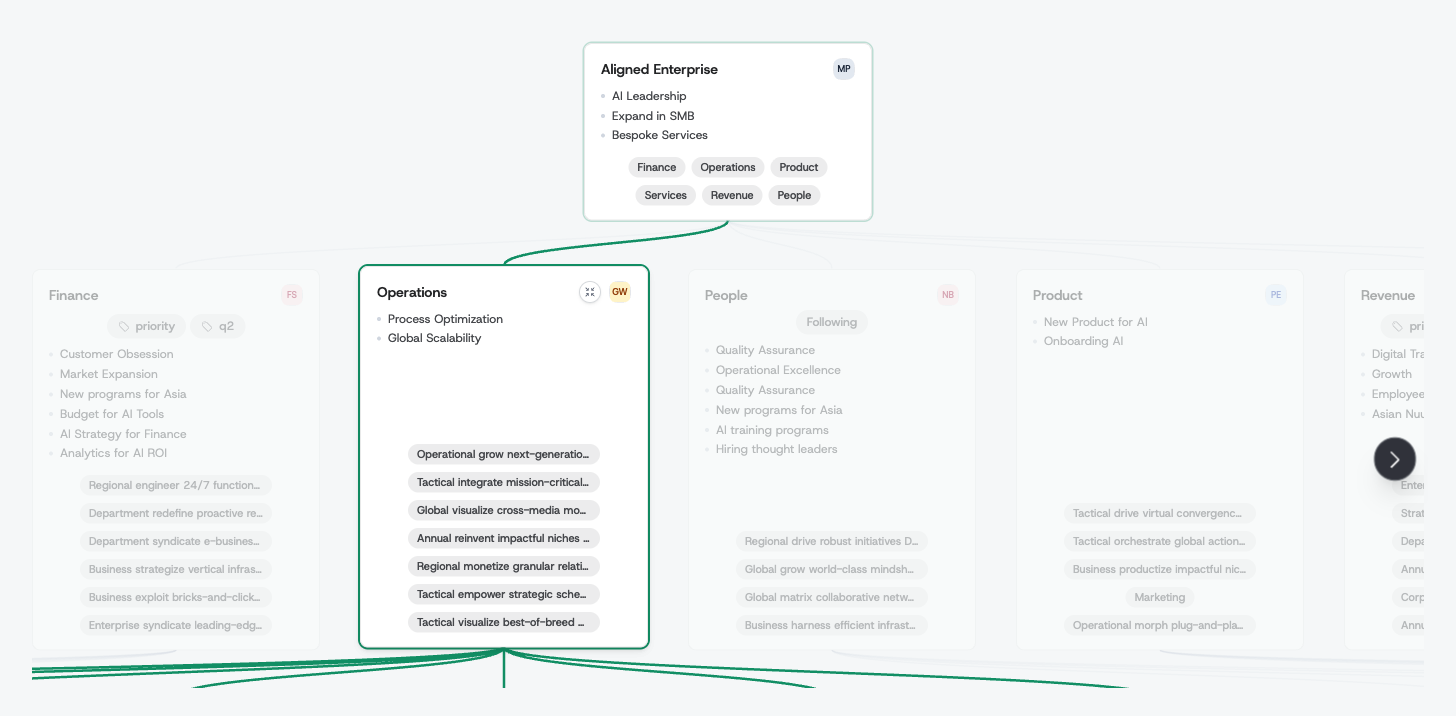
This is the fastest way to answer "who does this team roll up to?" without leaving the overview.
Zoom into a vertical
When you want that focus to stick, click the zoom button that appears on the card while you hover it. The tree hides every one-pager outside that vertical and reflows the rest into the freed-up space, so a deep branch is readable without competing with its siblings:
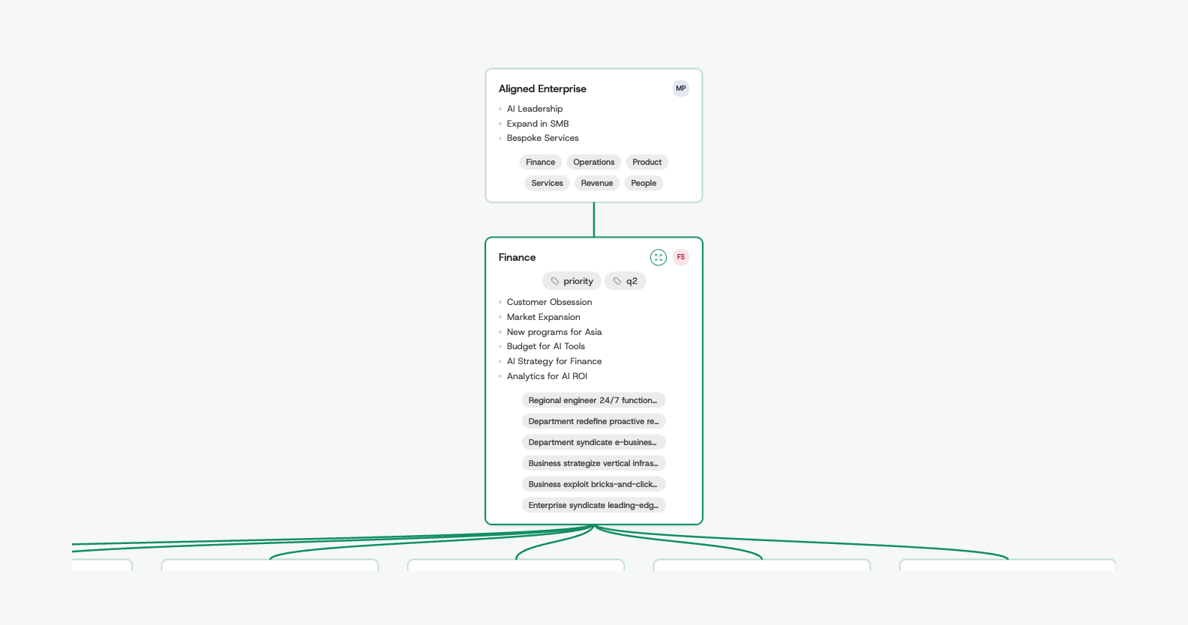
Click the button again to bring the whole hierarchy back.