Overview
You can cascade initiatives and enablers to linked one-pagers that are typically owned by your subordinate teams. Cascading can only be done in Edit mode.
There are two types of cascading:
- Mandatory: creates a top-down cascade from current one-pager to linked (subordinate) one-pagers.
- Voluntary: creates a bottom-up cascade from superior one-pager to current one-pager.
Mandatory cascading
The general principle in mandatory cascading is that nothing happens silently. Every action is explicitly done or accepted by one-pager editors.
Cascade, Propagate, Accept
To cascade an item to a linked one-pager, you need to select it from a dropdown after clicking the cascade button  by the item. This cascade action creates the relationship between the item and the linked one-pager, but nothing else happens yet. Typically, editors of the one-pager create many cascades from several items to several linked one-pagers, until they are ready for the second step: propagate.
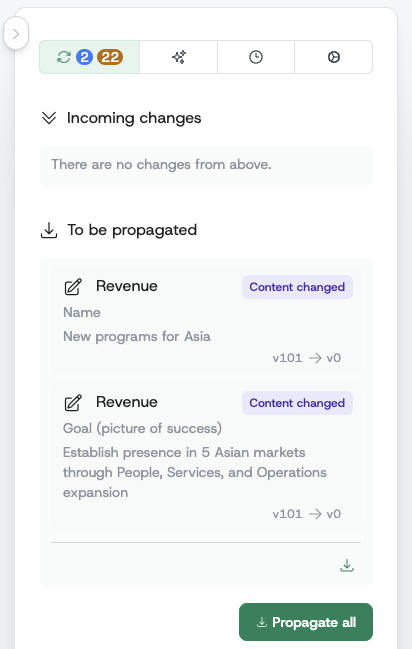
Once items are cascaded, they appear in the To be propagated section of the sidebar, waiting there for an explicit propagation action by editors. Items can be propagated individually or in bulk.
Only after an item is explicitly propagated does it show up inside the corresponding linked one-pager's sidebar section Incoming changes, waiting there for an explicit accept action by the linked one-pager's editors. Once accepted, the change gets reflected in the one-pager itself.
Cascade status indicators

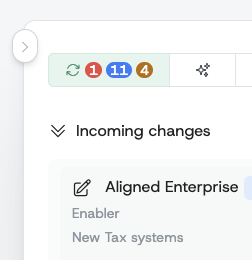
Following the above cascade-propagate-accept workflow, the one-pager avatars are visualized according to the status of their cascaded items as shown in the above picture.
If these indicators are displayed without a specific context, they indicate the overall status of the one-pager:
- Editors of the
Productone-pager don't even know about some changes yet because there are cascades waiting to be propagated to theProductone-pager. - Editors of the
Revenueone-pager received the changes, but didn't accept all of them yet. Thus, these changes are not yet reflected in theRevenueone-pager. - All the changes were propagated and accepted and thus reflected in the
Financeone-pager.
If these indicators are displayed under a specific item:
- The item has not yet been propagated to the
Productone-pager. - The item has not yet been accepted in the
Revenueone-pager. - The item has been accepted in the
Financeone-pager.
Propagations status indicators
Voluntary cascading
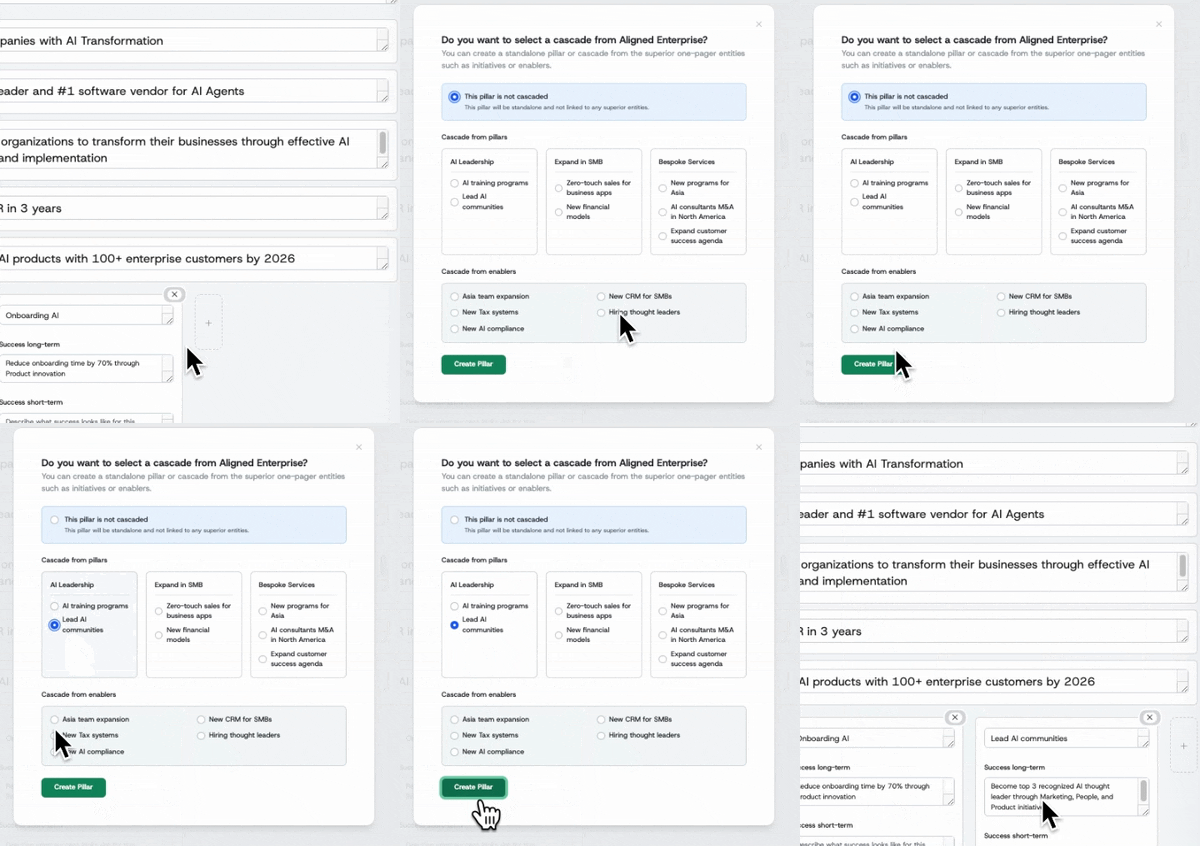
If linked one-pager editors want to proactively contribute to superior one-pager initiatives or enablers, they can create a pillar while selecting the initiative/enabler to contribute to. This action does not require explicit approval of the superior one-pager editors.
Updates to cascaded items
When a cascaded item such as initiative goal, Purpose, or enabler gets updated by a user, it does not automatically and silently change in linked one-pagers. Instead, such an update creates a new propagation that has to be processed by the editors again. This avoids silent, uncontrolled changes in the one-pager hierarchy.
Rejecting cascaded changes
Sometimes a linked one-pager may have localized content that differs from what the superior one-pager is propagating. Instead of accepting the change and overwriting their work, editors can reject the incoming change.
Rejecting keeps the cascade relationship intact while preserving the linked one-pager's current content. The superior one-pager is notified of the rejection and must confirm it.
Rejection workflow
-
Linked one-pager rejects: In the "Incoming changes" section, instead of accepting a propagated change, click the reject button. This creates a rejection request that goes to the superior one-pager.
-
Superior one-pager confirms: The rejection appears in the superior one-pager's "Rejected by linked one-pagers" section. The superior one-pager must confirm the rejection to acknowledge that the linked one-pager is keeping their own value.
-
Rejection complete: Once confirmed, the linked one-pager's content for that specific field is preserved. The cascade relationship remains, but future changes to the rejected field won't create new propagations. Other fields in the same cascade continue to work normally—for example, a linked one-pager can reject "goal" but still receive updates to "name".
Restoring a rejected cascade
If the linked one-pager later wants to receive updates for a rejected field:
- Find the rejection in the "Rejected changes" section of the sidebar
- Click the restore button
- The propagation moves back to "Incoming changes", where the linked one-pager can accept it as usual
Removing cascades
Just as creating a cascade follows the cascade-propagate-accept workflow, removing an established cascade also follows a similar process. This ensures that nothing happens silently and that subordinate one-pagers are always informed about changes.
When you uncheck a cascade
When you uncheck a cascade checkbox to remove a cascade, the behavior depends on whether the cascade has been fully established (accepted by the subordinate one-pager):
-
For pending cascades (not yet accepted): The cascade is removed immediately. Since the subordinate one-pager never accepted the cascade, there's nothing to notify them about.
-
For established cascades (already accepted): A removal request is created and must go through the propagation workflow. Editors of the subordinate one-pager will see it in their "Incoming changes" and must explicitly accept or reject the removal.
Accepting removal deletes the pillar
When editors accept a cascade removal, the entire pillar is deleted from their one-pager. Before accepting a cascade removal, ensure you have saved any content from the pillar that you want to keep. Once accepted, the pillar and its contents are permanently removed.
Canceling a removal request
If you change your mind before the subordinate one-pager processes the removal:
- Simply re-check the cascade checkbox
- The removal request is canceled
- The cascade continues as before
What if the removal is rejected?
If the subordinate one-pager rejects your removal request:
- The cascade relationship is removed, but the pillar is preserved in the subordinate one-pager
- The pillar becomes independent and is no longer connected to your initiative