Release Date: 2025-09-12
Cheers!
🎉 Version five is here, let’s give a cheer,
With narrative fields and AI that’s clear!
Insight bars persist, and toggles don’t fight,
Your planning’s now smoother, your future is bright!
✨ New Features
AI Capabilities and Guidance (beta)
-
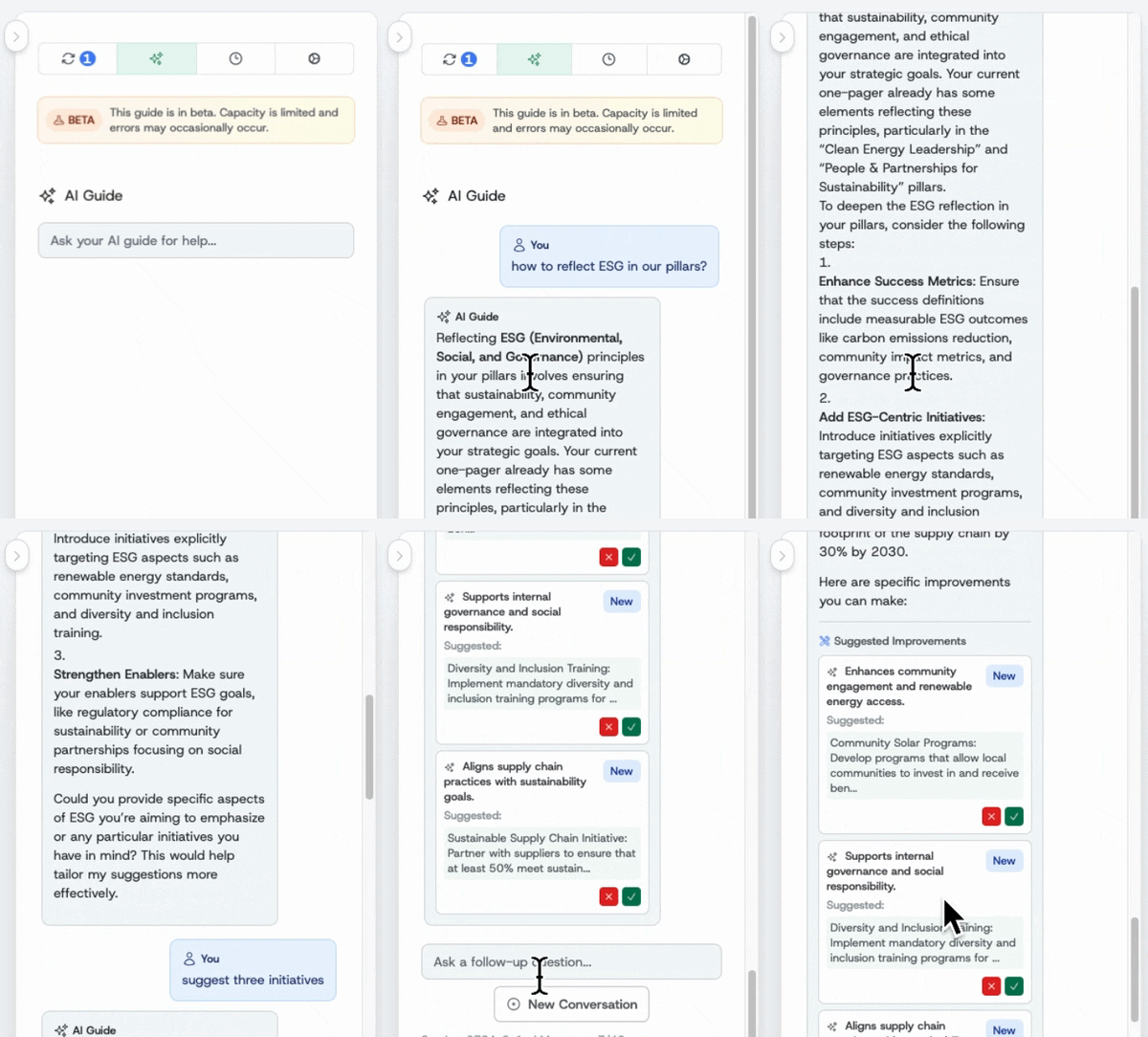
AI Guide for the creators: A new AI Guide feature is now available. The guide chats with you providing contextual, step-by-step assistance, while you are creating one-pagers. It helps users understand best practices, offers actionable suggestions, and supports decision-making directly within the platform. This will speed up the whole process and improves quality of one-pager content.
-
Ask AI for employees: Employees can talk to the strategy now! Just go to the Ask AI tab and have a chat! Read more...
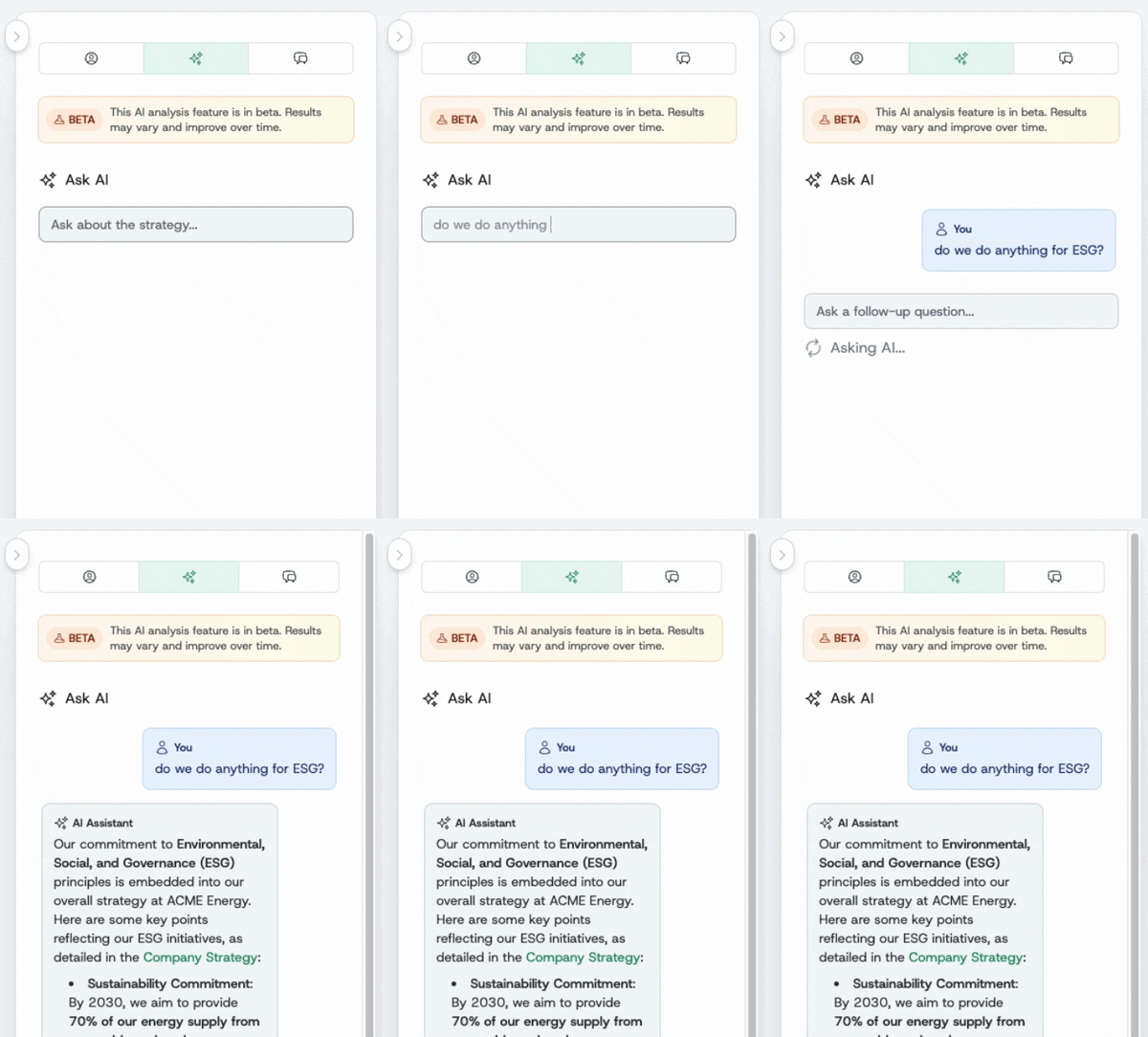
IMPORTANT: Both AI features are in beta - the context window is not sufficiently large for longer conversations and deeper analysis yet.
Narrative Field Editing and Display Controls
- Comprehensive narrative field editing for one-pagers: You can now add, edit, and display a dedicated narrative field in any one-pager, supporting markdown formatting. Labels are customizable per template, and the narrative can be shown or hidden in the overview tab via a settings toggle. This empowers teams to capture richer context and insights directly within their strategic documents, improving clarity and alignment across all levels.
One-Pager Template Editor Enhancements
- Read-only field controls: The template editor now features a read-only checkbox for all field types, such as purpose, mission, pillar, and initiative fields. When enabled, fields are clearly greyed out and non-editable, improving template governance and reducing accidental edits of cascaded fields. Such field can be changed by accepting incoming changes only.
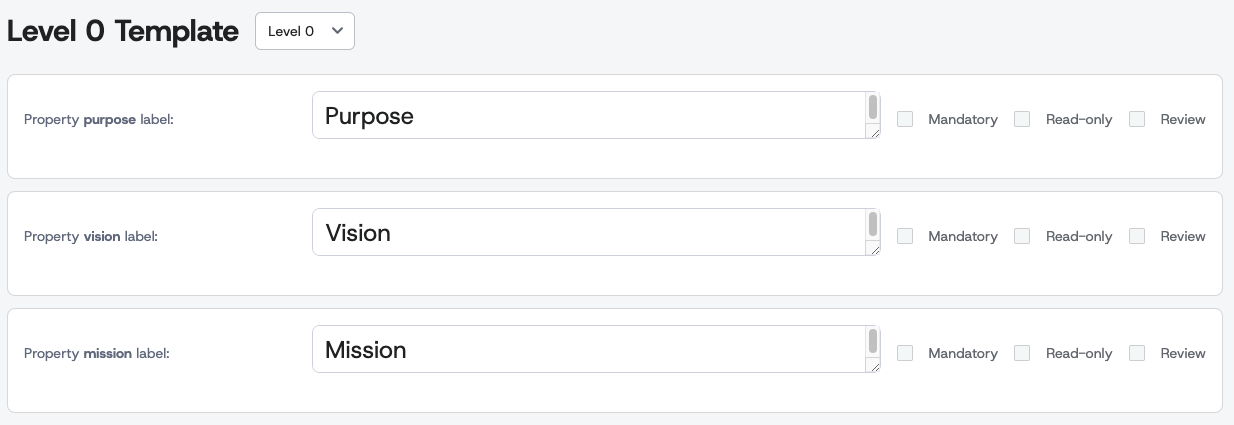
- Template editor relocated to company profile: The template editor is now conveniently accessible from the company profile, streamlining navigation and making it easier for administrators to manage templates in one place. Read more...
🔧 Improvements
One-pager and Workflow Enhancements
- Insight bar tab persistence: The platform now remembers your last selected insight bar tab for each one-pager, even after navigating away or refreshing. This saves time and reduces repetitive clicks, allowing users to pick up right where they left off and maintain focus on their preferred insights.
- Conditional display of Changes tab sections: The Changes tab now intelligently hides irrelevant sections based on the one-pager’s hierarchy. For example, 'Incoming changes' is hidden for top-level one-pagers, and 'To be propagated' is hidden when there are no linked one-pagers. This declutters the interface and helps users focus on actionable information.
🐛 Bug Fixes
- Corrected labels for initiatives, enablers, and values: Fixed label inconsistencies across initiatives, enablers, and company values, ensuring accurate and clear labeling throughout the platform.